Hang your painting on any wall — before it’s sold
Upload a photo of your artwork and its real size. Share one link, and buyers can preview it at true scale on their own wall using their phone’s camera. No app needed.
How it works
Three steps from your studio to a buyer’s living room.
Upload artwork
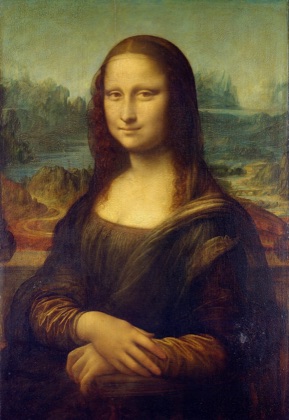
mona-lisa.jpg
960 × 1395 px
✓ JPG
Title
Mona Lisa×Width
53Height
77cminCreate AR modelStep 1
Upload your painting
Photograph or scan the painting straight on, then enter its title and real size.
- ✓JPG, PNG, HEIC, WebP, TIFF and more
- ✓Width and height in cm or inches — the AR model is built at exactly that size
- ✓The 3D model is generated automatically in seconds
- ArtAR StudioNew painting! Tap to see it on your wall 👇
Mona Lisa — View on your wall
gallery.trainlog.uk/a/x7Kp2mQa
Mona Lisa
Scan to view in AR
Step 2
Share one link
Every artwork gets its own short link and QR code.
- ✓Post it on Instagram, LINE, Messenger or your website
- ✓Print the QR code on the label next to the painting at exhibitions
- ✓Buyers don’t need to install anything
- Point your phone at a wallWall detected77 × 53 cm · actual sizeLong-press to moveLighting matches your room
Step 3
Buyers preview it in AR
They open the link on their phone and tap “View on your wall”.
- ✓The wall is detected and the painting snaps on at its true size
- ✓Long-press to slide it around (iPhone: drag with one finger)
- ✓Lighting and shadows adapt to the room